Level Dioramas
A level diorama is a self-contained 3D replica of a level that can be viewed without FEZEditor or the original game assets.
The editor includes a tool named Phil for creating these dioramas.
Usage
- Open the level in Eddy.
- Open the tool via
Editor > Eddy > Export Level as Diorama...in the menu bar. - Select a save path for the resulting
.glbfile. - Wait for the export to complete.
What is a GLTF?
GLTF is a standard format for exchanging 3D scenes and models. It can store meshes, materials, textures, and scene hierarchy in a form supported by many 3D tools and viewers.
The editor exports dioramas as binary GLTF (.glb) files. A GLB packages the scene data and embedded resources into a single portable file.
Viewing
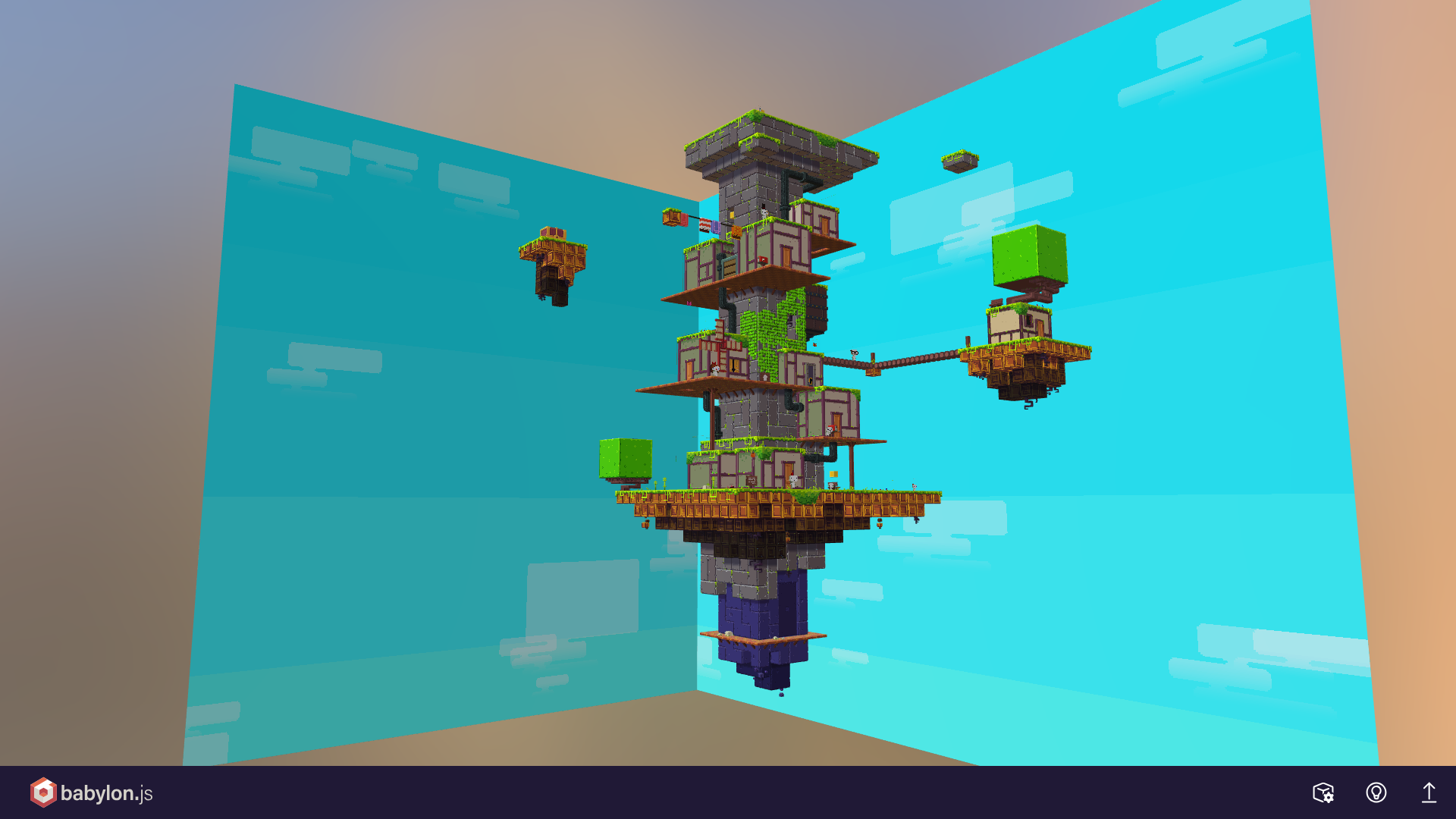
Open the exported GLB file in a compatible 3D viewer. Here is an example of a level opened in Babylon.js Sandbox:
Purpose
This feature was originally created for ripping levels for The Models Resource. Although, another custom solution was made, the exporter was kept for future reference.
Think about this feature also as a small tribute to Michael Romero and his inspirational FezViewer tool.